
Web design · UX & Performance
10 web design mistakesthat you should avoid in 2026
Your website is the digital shop window for your brand — and precisely why outdated design practices cost cold hard cash. This guide shows the ten most frequent mistakes and the concrete solution for each.
- Estimated loading time
- Under 2 secondseven 1 second more costs conversions
- traffic source
- Mobile before desktopMobile-first is the norm, not the exception
- Legal framework
- BFSG since 06/2026Accessibility in accordance with WCAG 2.1
- In this post
- 10 mistakes, 10 solutionsincluding a self-assessment checklist
Overview
In 2026, your website is the digital figurehead of your brand. It plays a central role in building trust, generating leads and delivering added value to your users.
Nevertheless, many websites suffer from outdated design practices that hamper performance and cost businesses potential customers.
This article highlights ten of the most common web design mistakes and offers practical solutions on how to competitive, legally sound and user-centred remain.
Lack of mobile optimisation
As mobile data traffic has now overtaken desktop traffic, your website must function flawlessly across different screen sizes. A non-responsive page often appears cluttered or unusable on smartphones or tablets, leading to poor user engagement and high bounce rates.
Responsive design ensures that the layout, text and images are scaled correctly. A ‘mobile-first’ approach is now the norm — not the exception. Read more about this in the article Mobile First: Why responsive web design is essential.
Slow loading times
Speed is crucial. Users expect websites to load in less than two seconds. Even a delay of just one second can significantly reduce the conversion rate. Slow pages also perform less well in Google’s rankings.
Compress images, minimise your code, make use of browser caching and choose a high-performance hosting provider to improve loading times and, consequently, user satisfaction.

Is your website ready for mobile responsive?
With Synext IT you make your website responsive, mobile-friendly and future-proof — for a better user experience, higher visibility and more conversions.
Ignore accessibility
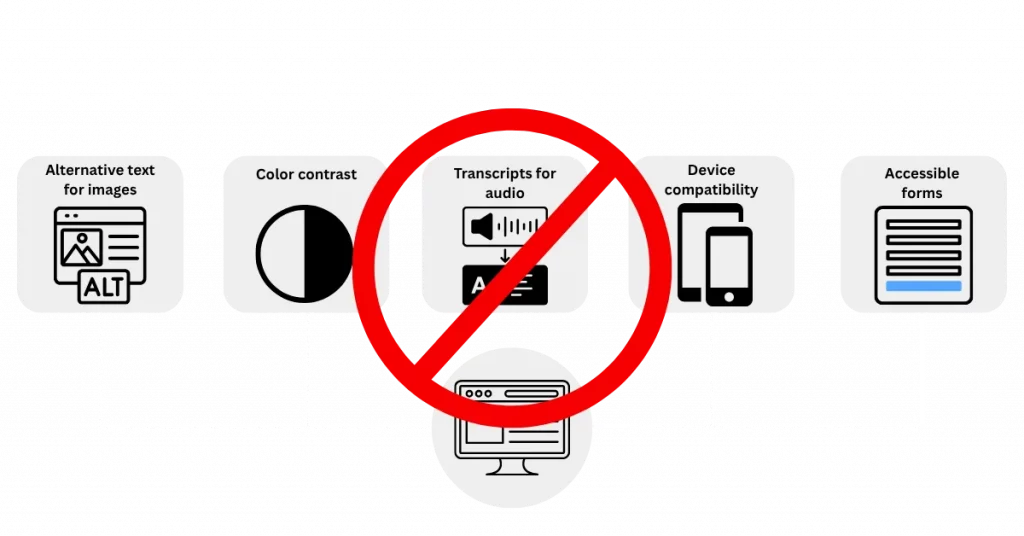
An accessible website is not only good practice, but also a legal obligation — for example, under the Accessibility Enhancement Act (BFSG 2025) in Germany. Anyone who ignores accessibility excludes a large proportion of their target audience and exposes themselves to legal risks.
Use alt text for images, ensure there is sufficient colour contrast, use semantic HTML, and make sure your page can be navigated using a keyboard or screen reader — in accordance with WCAG 2.1 standards.
Checked in two minutes
Our free Accessibility Check analyses your homepage for contrast, alt text, form labels and structure. You can find background information on the law in the article Accessibility Act 2025.
Neglecting SEO
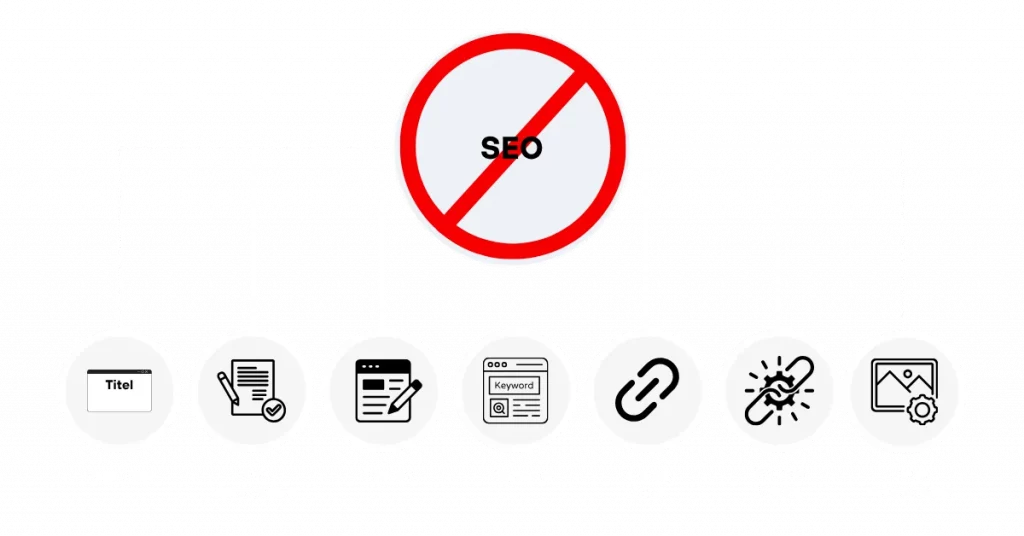
Even the most visually appealing website will not be successful if it lacks the basics of SEO. Anyone who ignores search engine optimisation is missing out on valuable opportunities and will remain invisible on Google.
Optimise meta tags, headings, image descriptions, URLs and structured data so that your content gets found. Good design and good SEO go hand in hand.
Cluttered layouts
An overloaded layout overwhelms visitors. Too many visual elements, uneven spacing or a lack of structure lead to cognitive overload.
Modern web design relies on minimalism. Use sufficient whitespace, a clear visual hierarchy and highlight only the truly important elements. Less is often more.
Weak call-to-actions (CTAs)
CTAs are crucial for leading users to take action — whether that is a sign-up, a booking or a purchase. If your CTAs are hidden, unclear or too generic, you will lose conversions.
Formulate clear and precise calls to action, use active language and place CTAs purposefully and visibly on your page.
Inconsistent branding
Your website should consistently reflect your brand identity. Inconsistent colours, changing fonts or an inconsistent tone of voice confuse visitors and weaken trust.
Use a corporate style guide to ensure that typography, colours, logo and language are used consistently across all pages. Consistency creates professionalism and brand recognition.
No use of analytics tools
Without analytics tools, you are flying blind. Tools like Google Analytics, Google Search Console or heatmaps show how users interact with your website.
Track user paths, bounce rates, exit pages and conversion funnels to continuously improve your website.
Ignore user feedback
Your users provide you with valuable insights — if you listen to them. Anyone who ignores feedback misses opportunities for optimisation.
Use surveys and analyse form submissions and support requests. Test regularly with real users to uncover weaknesses and fix them in a targeted way.
All ten errors at a glance
| Error | Impact | Immediate action |
|---|---|---|
| Mobile optimisation is missing | High bounce rate on smartphones | Switch to a responsive, mobile-first grid |
| 02 Slow loading times | Fewer conversions, worse ranking | Compress images, minimise code, enable caching |
| 03 Poor navigation | Users can't find content and bounce | Streamline the menu, add breadcrumbs and internal links |
| 04 Accessibility ignored | Target audience excluded, legal risk | Check alt text, contrast and keyboard navigation |
| 05 SEO neglected | Invisible in Google search | Maintain meta tags, headings and structured data |
| 06 Cluttered Layout | Cognitive overload, unclear priorities | Increase whitespace, sharpen visual hierarchy |
| 07 Weak CTAs | Users do not know what to do next | Place active, specific calls to action visibly |
| 08 Inconsistent Branding | Confusion and weaker confidence | Create a style guide for colours, fonts, logo and tone of voice |
| 09 No analysis tools | Gut-feeling optimisation | Set up Analytics and Search Console, define goals |
| 10 feedbacks ignored | Known vulnerabilities remain | Analysing surveys, support tickets and user tests |
Self-check: Which errors affect your website?
Tick off what applies to your website. The result is not a technical audit, but rather an assessment of how urgently action is needed.
None of the items on this list requires a complete overhaul. In most cases, targeted interventions in four or five areas are sufficient.
Transform your website for the future with Synext IT
Synext IT is your partner for modern, SEO-optimised and accessible websites tailored to your business goals. Our mobile-first approaches, with a focus on performance and user-friendliness, help you avoid the aforementioned mistakes — while remaining legally compliant and growth-oriented.
Our Services
From analysis to ongoing support.
- Responsive web design
- SEO Optimisation & Core Web Vitals
- Accessibility according to WCAG & BFSG 2025
- Conversion-optimised UX design
- Ongoing support & performance monitoring
- Relaunch of existing websites without loss of ranking
Let us design a website together that is ready for 2026 — and beyond.
Frequently Asked Questions (FAQ) — Web Design & Best Practices
What is a common mistake that web designers make during the design process?
A common mistake is neglecting the user experience (UX), particularly on mobile devices. Cluttered layouts, unclear navigation or a lack of mobile optimisation result in users leaving the website prematurely — despite its attractive design.
What are the 5 golden rules for good web design?
- Clarity & Simplicity Content should be easy to understand and logically structured.
- Mobile-first design — Optimisation for all devices is essential.
- Fast loading times — Performance affects user retention and SEO.
- Strong call to actions (CTAs) - Users should know what they need to do next.
- Consistent branding — Colours, fonts and tone must be consistent throughout.
What are the 7 key steps in website creation?
- Defining objectives & analysing target groups
- Structural planning (sitemap, navigation)
- Content creation & copywriting
- Visual design (layout, colours, UI)
- Technical implementation (development, CMS)
- Testing & Optimisation (UX, SEO, Accessibility)
- Launch & ongoing maintenance
What are the three fundamental elements of a website?
- Content (text, images, videos)
- Layout/Design (Structure, Navigation, Visuals)
- Functionality (forms, interactivity, performance)
Does Synext IT offer professional web design services?
Yes! Synext IT is your agency for modern, responsive and SEO-optimised web design — tailored to small and medium-sized enterprises. We offer:
- Tailored website concepts
- Mobile-First and Core Web Vitals Optimisation
- Accessible design in accordance with WCAG & BFSG 2025
- Conversion-focused UI/UX
- Ongoing support, analysis & performance monitoring
Next step
Name first, then fix.
Ten errors sounds like a lot. In practice, most websites are affected by four or five of them — and those can be tackled systematically.
- Reply within 24 hours
- 100 % (no obligation)
- Prioritised measures instead of general advice
Performance
Web design & relaunch
Mobile-first layouts, clean Core Web Vitals, accessible operation and conversion-oriented UX — all from a single source.
View servicesPersonal advice · Response within 24 hours
 English
  German